Legend: Click on the symbols for further information

Frequency

Type of code

  1. Fixed. The code emitted by the remote control, is always the same. There is no encryption and once the remote control is duplicated, the copy works directly in the receiver.
  2. Rolling. The code emitted by the remote control, changes with each pulse. A copy of the remote control should be made, that way generating the same brand and model but with a different serial number, that will be necessary for registry in the receiver. There are specific instructions for each receiver of either how to register the copy, remotely or directly manipulating the receiver.

Buttons

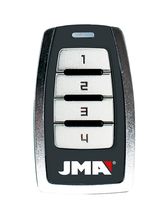
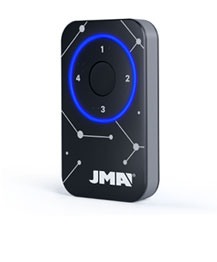
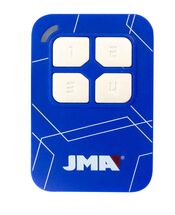
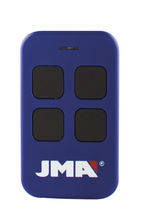
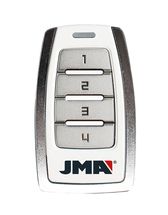
Auto-Programmable The remote control can be registered in the receiver without the need of the original remote control, as long as radio communication is activated and the memory is not full.

PROCESS:

  1. In front of the receiver keep the JMA remote control pressed during 10 seconds until the red LED goes off (after 4 seconds) and it turns to green (at 10 seconds).
  2. Once the LED is green, release the button and wait for the LED to definitely go off. During the process, the green LED will flash once or several times depending on the code type until finally going off.

If the process does not work, test the standard method using the original remote control or gaining access directly from the receiver.

Copy

No copy

PROTECO® TX 3 Remote

Remove Remote
  • F 433,92
  • C ROLLING CODE
  • B 3
  • AP NO
PROTECO® TX 3

APRIMATIC® TM 4 Remote

Remove Remote
  • F 433,92
  • C ROLLING CODE
  • B 4
  • AP YES
  • M-BT Biometric / BT Slim / M-FR1 / M-NOVA PRO / M-BT Advance / SR-4V / SR-48
APRIMATIC® TM 4

Synchronising intructions

Print

SYNCHRONISING APRIMATIC ROLLING CODE REMOTE CONTROLS

Direct synchronisation procedure on the receiver

1. Open the receiver and locate a switch or pushbutton labelled \"PROG\".

2. Press the button or turn on the switch.

The receiver will emit a long beep and the LED will light up. From this point, follow the previous procedure from step 2 above.

Synchronising the APRIMATIC TR remote control

1. Stand near the receiver and press all the emission keys of the device already synchronised in the facility.

The receiver will emit a continuous beep.

2. Press the synch button of the duplicated device.

3. Then press any key of the duplicated device.

The LED and buzzer will pause briefly and then resume, confirming that the remote control is now synchronised.

Observations

If the procedure fails, it may mean that the receiver memory is full and impedes synchronisation of new devices without the installer\'s permission.

NOVOFERM® NOVOTRON Remote

Remove Remote
  • F 433,92
  • C ROLLING CODE
  • B 2,4
  • AP NO
  • M-BT Biometric / BT Slim / M-FR1 / M-NOVA PRO / M-BT Advance
NOVOFERM® NOVOTRON

Synchronising intructions

Print

SYNCHRONISING NOVOFERM ROLLING CODE REMOTE CONTROLS

The Novoferm remote control can only be synchronised directly on the receiver.

Direct synchronisation procedure on the receiver

1. Open the receiver and press the button located inside until the LED begins to flash.

2. Then press the button on the remote control and hold for approximately 3 seconds until the LED begins to flash quickly.

Take the following steps if the facility has a ceiling-mounted motor.

PROTECO® PTX 433 AZUL Remote

Remove Remote
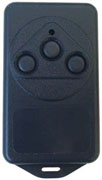
  • F 433,92
  • C FIX CODE
  • B 3
  • AP NO
  • M-BT Biometric / BT Slim / M-FR1 / LITE / M-NOVA PRO / M-BT Advance / SR-4V / SR-48
PROTECO® PTX 433 AZUL

The selected remotes can not be copied with a single JMA remote